🤗️ User Referrals
SaaSykit comes with a powerful referral system that allows your users to refer others to your SaaS application in exchange for rewards like discounts, or custom rewards that you can define for your application.
Referral Triggers & Rewards
The SaaSykit referral system allows you to choose the "trigger" for the referral reward. There are two main triggers available:
- On Verified Registration: When a referred user registers and verifies their email address, the referrer receives the reward.
- On First Payment: When a referred user makes their first payment (via subscribing or ordering one of your products), the referrer receives the reward.
There are two types of rewards available:
- Discount Reward: The referrer receives a discount (percentage or fixed amount) that they can use on their next purchase.
- Custom Reward: You can listen to the
ReferralSucceededevent and define your own custom reward logic (like adding credits to the referrer's account, etc.).
Configuring Referrals
To configure referrals, go to the Admin Panel, under "Settings" click on "Referral Settings". You will be redirected to the referrals settings page.
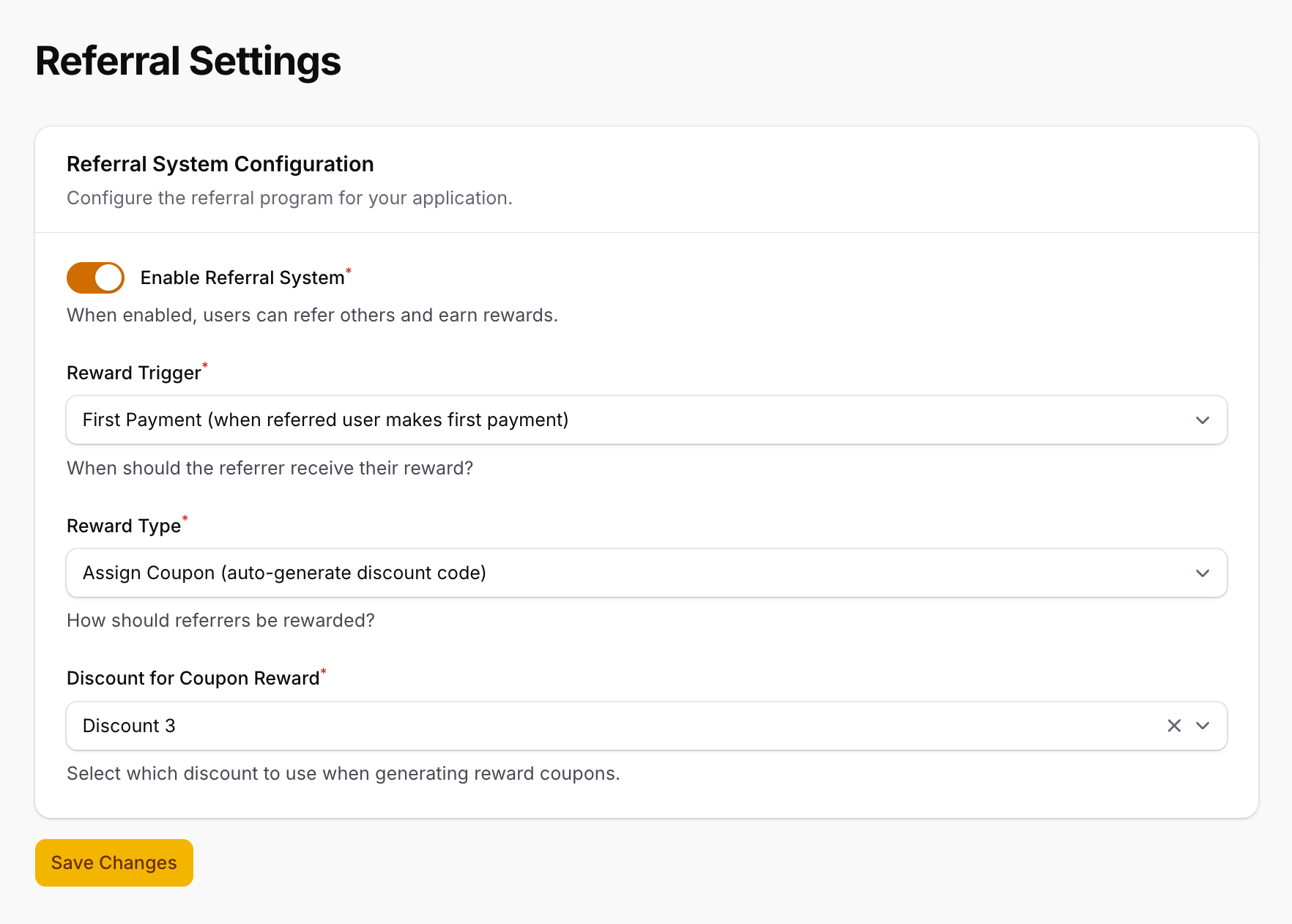
Here you can configure the following settings:
- Enable Referral System: Enable or disable the referral system.
- Referral Trigger: Choose the trigger for the referral reward (on verified registration or on first payment).
- Reward Type: Choose the type of reward (discount coupon or custom reward that will be triggered via the event
ReferralSucceeded). - Discount for Coupon Reward: If you choose the discount coupon reward type, you can choose and already created discount to be used as the reward for referrals, which you can create by following the instructions in the Discounts documentation page.
Using Referrals
Once the referral system is enabled, your users can start referring others to your SaaS application.
On user dashboard, they will see a new section that shows their referral link and a glance at the rewards they have earned.
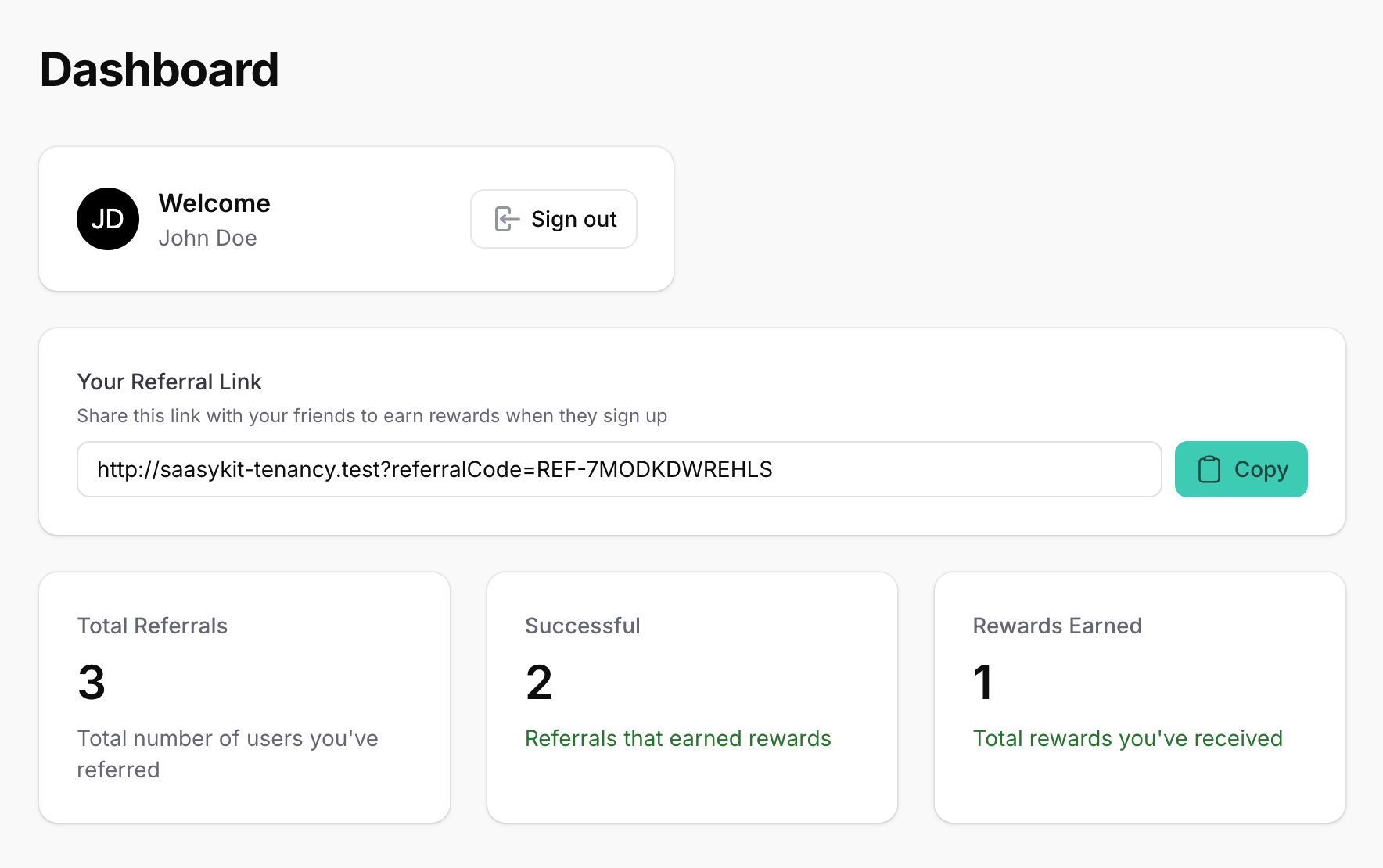
They can copy their referral link and share it with others. When someone joins using their referral link, the referrer will earn the reward based on the configured trigger and reward type.
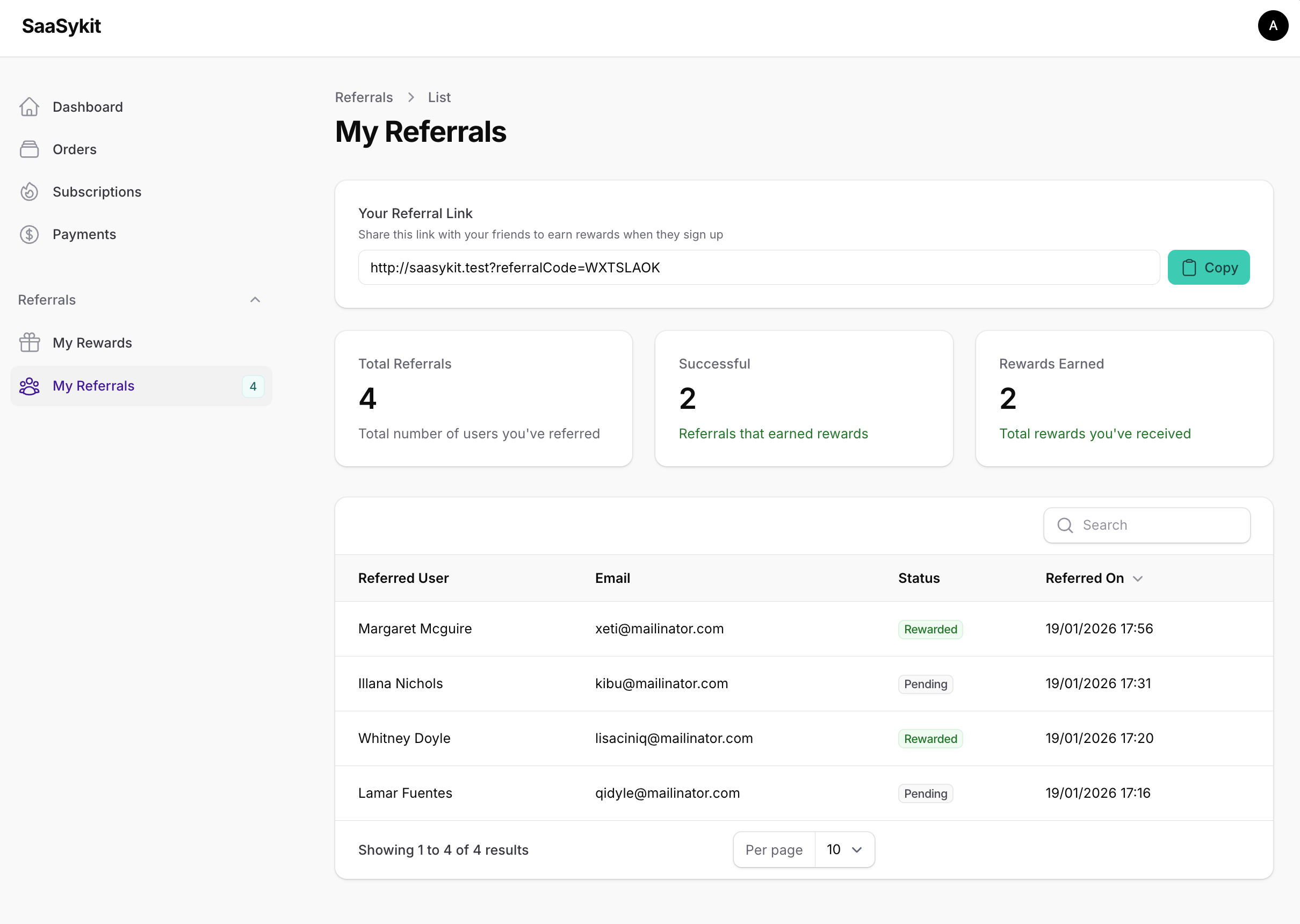
Users also can see the list of their referrals and the status of each referral (pending, succeeded, etc.).
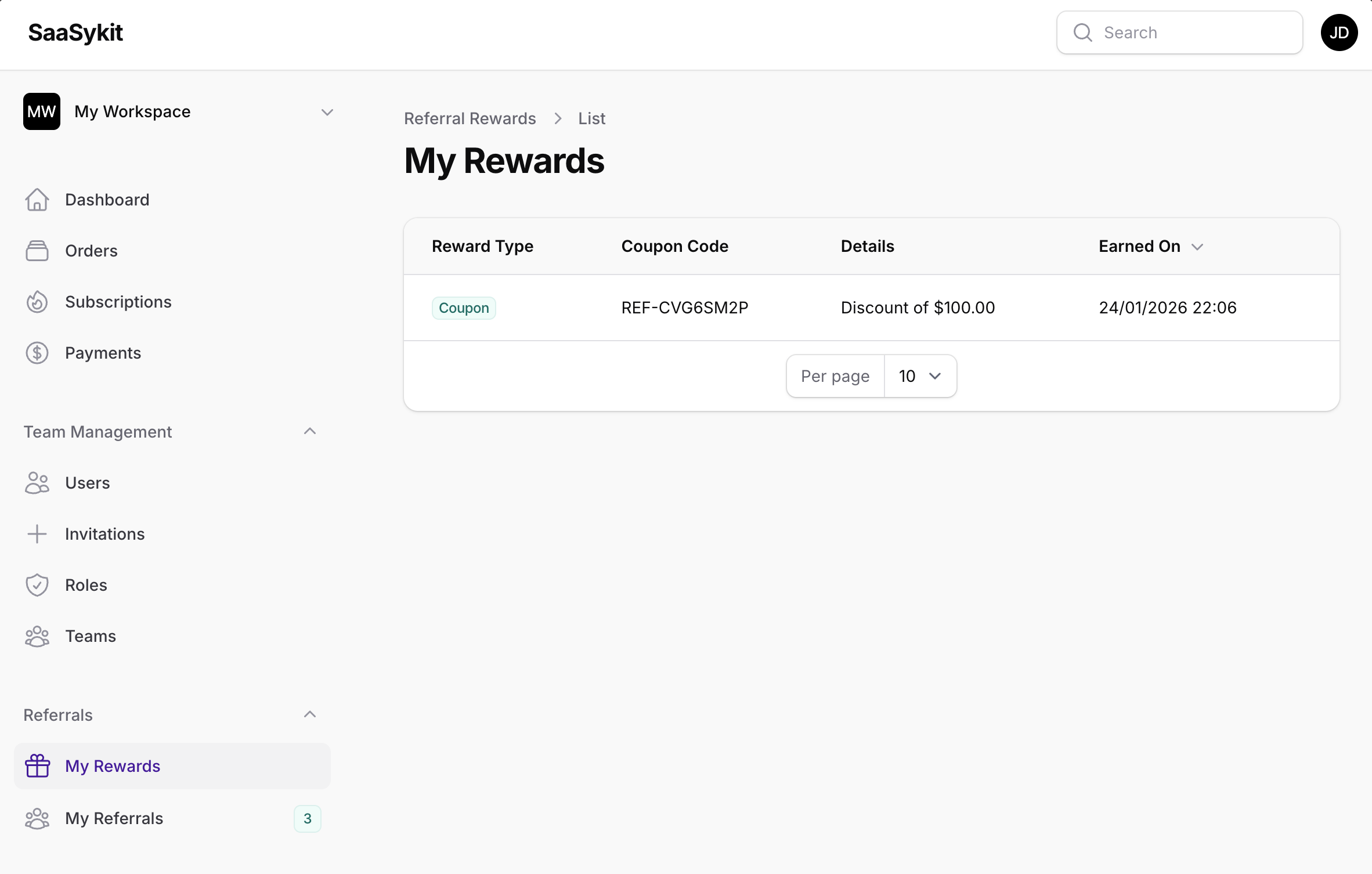
And they can see the rewards they have earned from their referrals on the "Rewards" page.
Referral tracking in Admin Panel
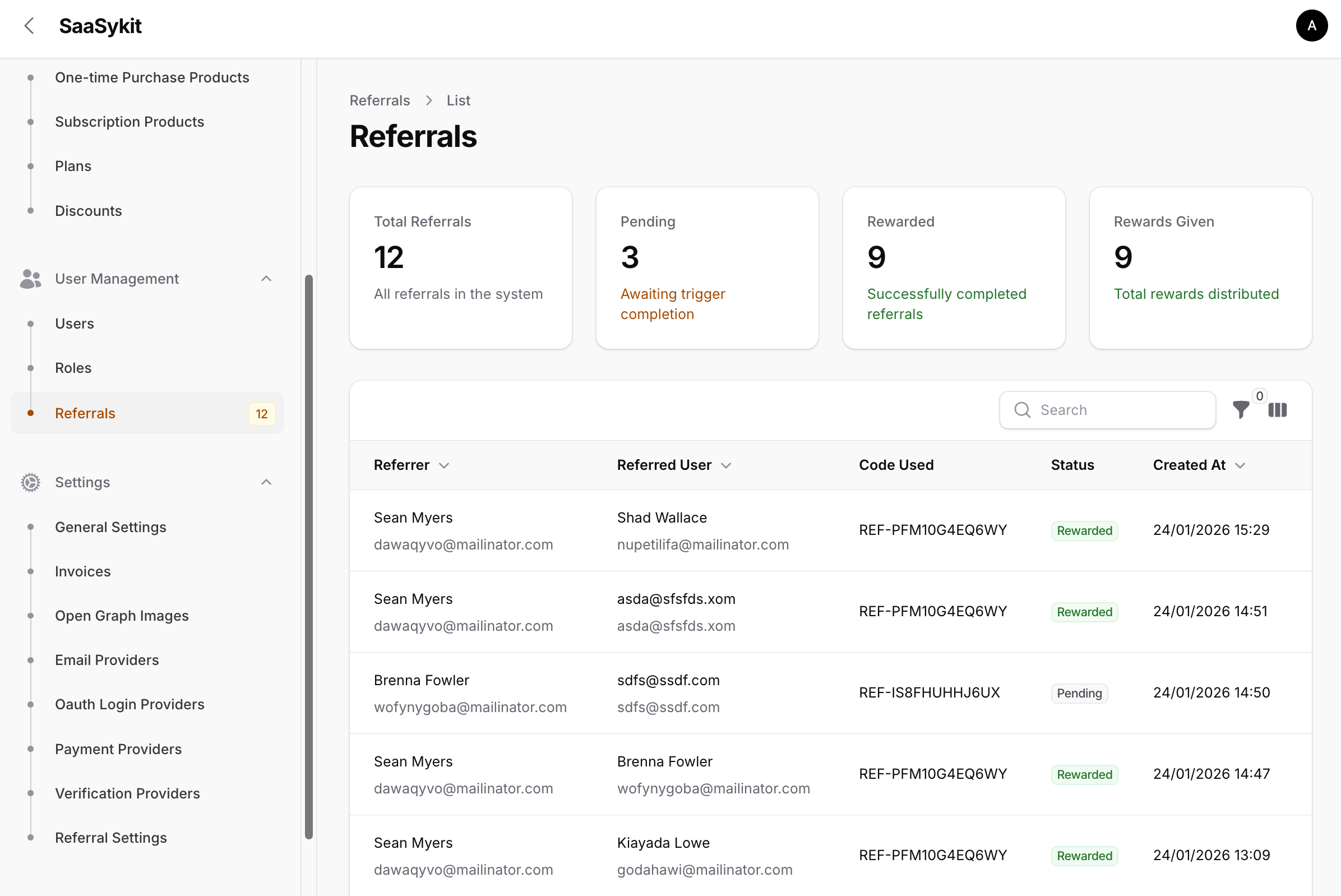
To track referrals, go to the Admin Panel, under "User Management" click on "Referrals". You will be redirected to the referrals page.
On this page, you can see the list of all referrals, along with the referrer, the referred user, the status of the referral, and the reward earned.